



Founder launch · 1 Mac
7-day launch · checking deadline…
Launch ladder starts at
$1$29Full price after launch
USD · one-time
Checking current availability…
Checking the current price. JavaScript is required for secure checkout.
FOR FOUNDERS WEARING MANY HATS
A focus timer for Mac. Pick what matters, give it a session, and see where your time went.
macOS 14+




Join foundersmaking time for what matters.
Interactive preview
Ready
Start again when you're ready.
Click the time. Add a goal. Make it yours.
Demo only · Changes stay here.
WATCH THE WALKTHROUGH
MORE THAN A COUNTDOWN
Start each session knowing what you want to work on. When you’re done, see the time you gave it.
LESS PLANNING. MORE DOING.
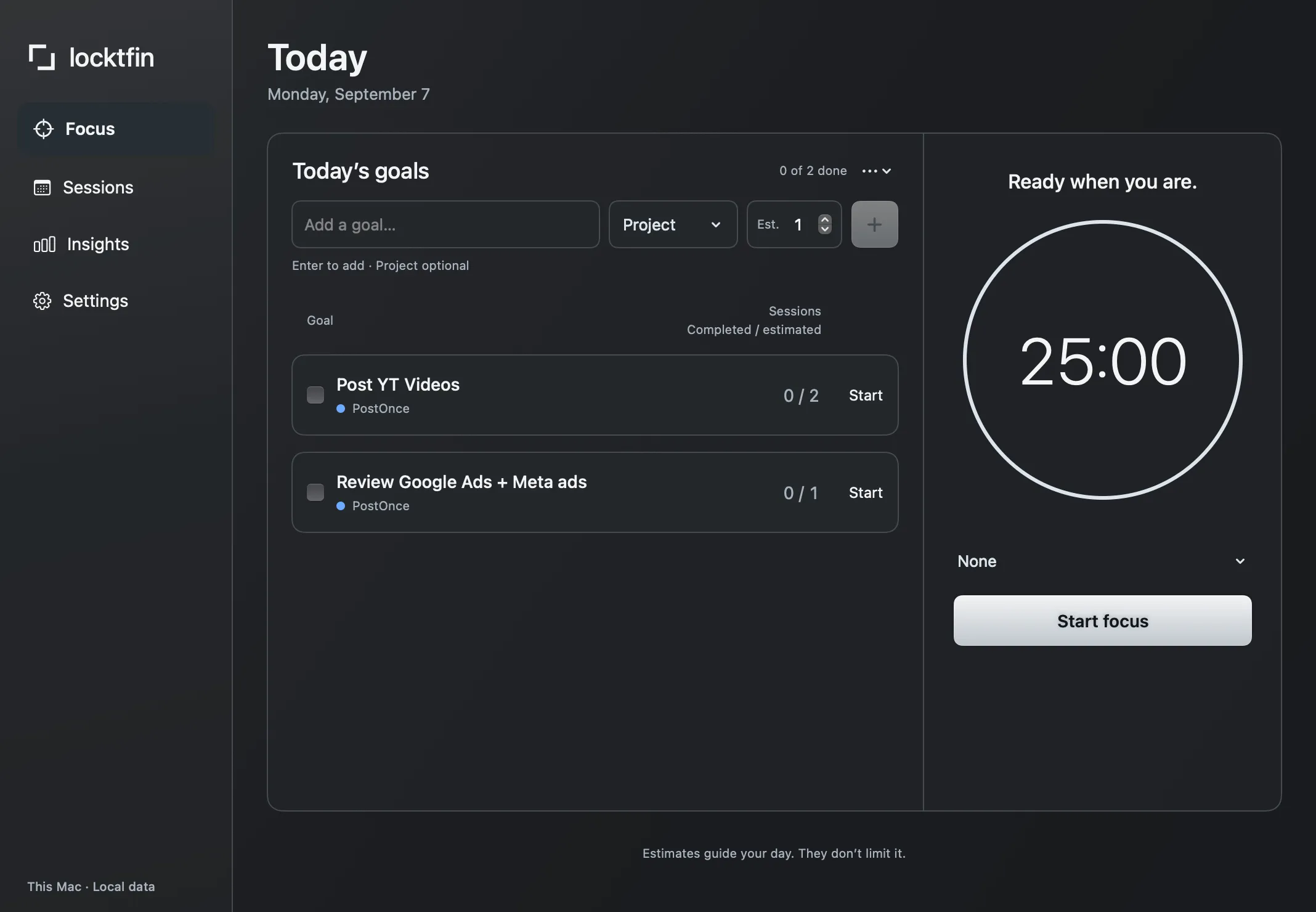
Write the landing page. Review the ads. Ship the fix.
Pick one, estimate a few sessions, and start.
Goal and project are optional.
Set a focus length that fits the work.
Need another session? Keep going.
You decide when it’s done.
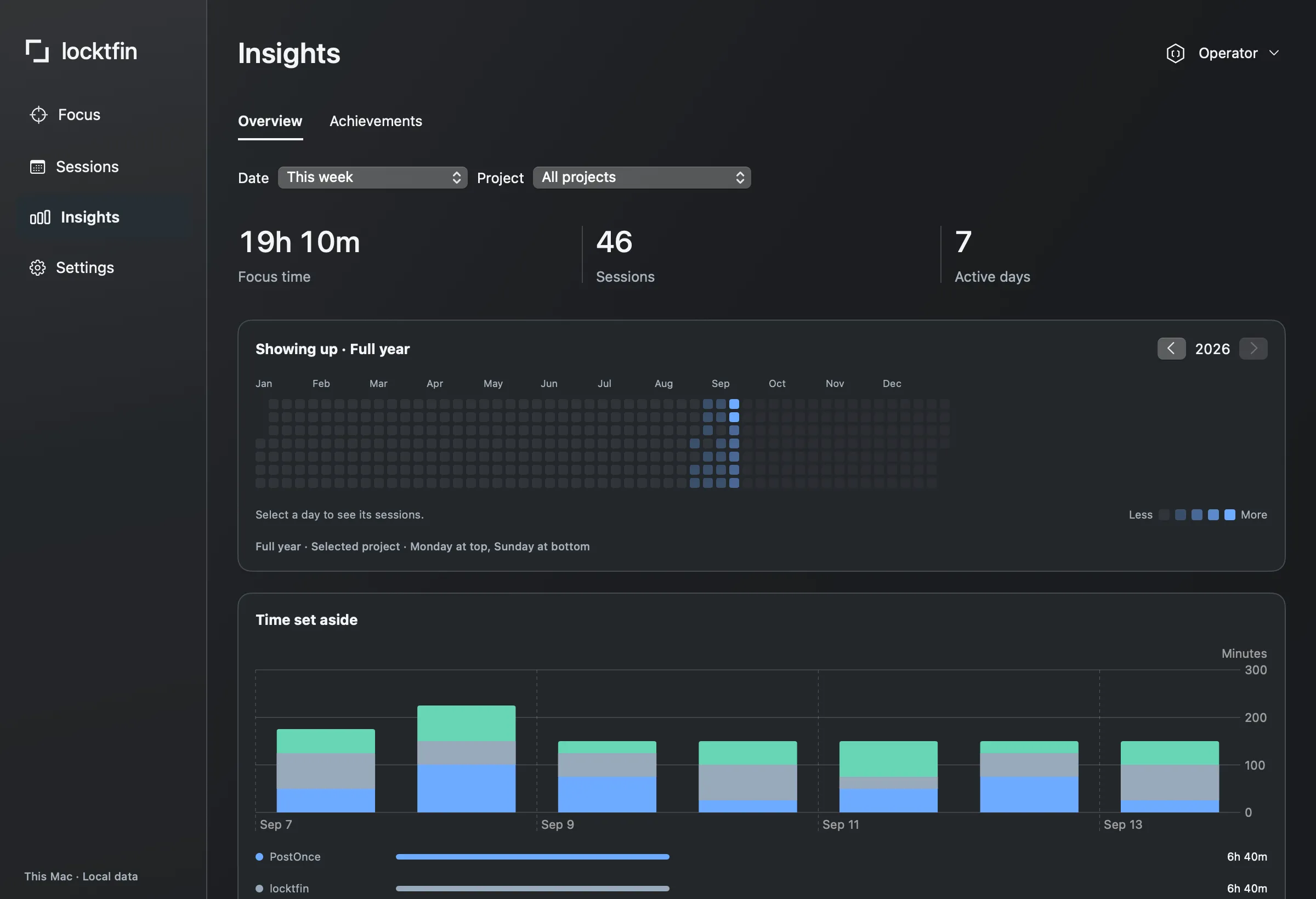
THE WEEK, IN FOCUS
See your focused minutes by day and project.
Discover ranks and achievements as you focus. Your recent pace sets your rank. Your discoveries stay.
WORKS WITH YOUR WORKFLOW
Connect through MCP to bring your focus history into the conversation.
Read-only access. You choose what to share.
NATIVE BY DESIGN. PERSONAL BY DEFAULT.
Goals, projects and focus history stay on your Mac. No cloud sync. No app-usage tracking.

the founder of locktfin
6 months ago I went full time building apps, betting on myself for the second time. Now I’m at $4K in monthly recurring revenue across 4 income streams. And with that many things to work on, there’s always something keeping me busy.
I’ve always used Pomodoro, since I was studying in school. But now as a founder, I realise it doesn’t really work unless I give the session a real purpose. It starts with my own goal. That’s my focus, otherwise I just do whatever’s in front of me.
And in business it’s so easy to keep busy. Between building, marketing and support, there’s always something to do. But am I working on what’s actually going to move the needle?
So I built locktfin around that. I pick a goal, set aside time for it, and see where my time went.
I want it to help you do the same. Pay attention to what you choose to work on, and be purposeful about it.
Explore what locktfin can do for your next session.
Keep your session a click away.
See focus time by project.
After initial online activation.
Set a daily session target.
Start without goals or projects.
Give coursework a focus session.
Give coding tasks a focus session.
Read your history through MCP.
macOS 14+.
One payment. No subscription.
Launch ladder starts at
USD · one-time
Checking the current price. JavaScript is required for secure checkout.
1 year of updates
FROM THE FIRST CUSTOMERS

“This is absolutely what I needed to stay on track. Simply powerful! 🔥”Read on Product Hunt ↗
“Just purchased it! 🚀 Congrats on launching your 5th app, Nigel! Wishing Locktfin a great launch 🙌”Read on X ↗
“Congrats on the launch, purchased.”Read on X ↗
You can. If all you need is a countdown, a free timer may be enough. locktfin brings optional goals, project colors and local focus history together in a native Mac app.
No. Start without a goal or project, or bring just the next thing from your existing task list. An estimate never limits how many sessions you can do.
No. Choose focus and break lengths that fit your work. Changes apply to your next session; a running timer keeps its original duration. There is no pause mode.
No. locktfin does not block apps or websites, sync between Macs, or integrate with your task manager. It gives your work a timer and a local record.
Single starts at $1 USD. The first 10 customers get the $1 price, the next 10 get $9, and the next 10 get $19. Customers using a 100% coupon count too, and each customer counts once. After that, Single costs $29. Existing checkouts keep their quoted price until expiry. Seven days after purchases open, new checkouts cost $29, even if launch batches remain. Your purchase price never changes afterward. The countdown uses one fixed deadline and never restarts.
Keep using your last eligible version. Another year of updates will be an optional separate purchase, with no automatic renewal. The renewal price has not been set yet.
The focus timer, goals and history work locally. The app needs internet for first license activation and online license or update services; an eligible activated version will work offline.
There is no free trial. The launch offer includes a 7-day money-back guarantee: contact support@mg.getlocktfin.com within 7 days of purchase if it is not for you. Feedback is never a condition of your refund.
LESS NOISE. MORE DEEP WORK.
For Mac only · Buy once. Use forever.